finally got to Centricity 2006 Update 5

July 7th, 2011

The trip to Centricity 2006 Update 5 was not a difficult one but it was a journey. The first thing that had to be done was to upgrade the foundation then upgrade the application. We started on Microsoft 2003 Server and SQL Server 2005. We ended on the same platform. We did have to upgrade the VMWare ESX server from 3.5 to 4.0 and still would like to upgrade to 4.1. This journey was needed to get to a position where we can add ePrescribe and allow the doctors to write prescriptions to a clearing house and local pharmacies without having to fax or call the pharmacies.

To start the upgrade, the first steps were to backup everything. We started by attaching USB drives to the servers that we are using and replicate all of the virtual machines to the alternate storage. There are basically two ways of doing this backup. The simplest is to clone the virtual machine using vCenter. We were not able to do this because the VMWare servers were at different versions and one version did not support cloning. The second way is to halt the virtual machines and copy the files from the production system to the USB drives. This method is very time consuming because the USB drives are really slow with long latency. We normally backup from one iSCSI disk to another and then copy files to the USB drive after hours. To ensure that we had good backups that were not dependent upon the VMWare servers, we backed up all virtual machines to USB drives.

Once the machines were copied, the VMWare machine running ESX 3.5 was upgraded to 4.0. With both machines at the same version, migration and cloning suddenly worked. This was critical because it allowed us to take a clone image of the Centricity web site and database and modify the clone. Since we are still on Microsoft 2003, cloning with post processing is not supported so we can’t clone and run the new server with a different IP address and server name. We can clone and manually restart the server with networking disabled. This allows us to change the server name and ip address before enabling the network connection.

Once we had a clone copy of the production server, we ran the install script for Centricity and selected download patches and updates. This was relatively simple because it only requires a connection to the internet and download of a 400M update file. The download did not take very long and the update process took less than 30 minutes. Once the update process was completed, we needed to download and install the IdealImage application again. The installation modifies the database and web server configuration. Before running the IdealImage update, we did do a database backup and create a zip image of the web site. Once the backups were finished, the IdealImage update was executed to modify the Centricity web site and database. This update does not change the IdealImage configuration or software but updates the Centricity web site to include the Scan Documents menu item on the Centricity home page, provide a binary to read stored images and a linkage in the web site to launch the binary, and updates the database to display the images as needed.

We did have to de-install all of the CPS 2006 clients on all Windows machines and re-install the clients by going to the Centricity web site. Given that we have 15 desktop machines, it was not a significant change. Our billing service logs in remotely and launches the client from a central server via remote desktop so we did not have to support any updates for them.

The next step is to get GE consulting in to install ePrescribe and the new scanning software so that we can get rid of IdealImage and go with a more integrated solution.

Splitting hairs with VMware

July 2nd, 2011

One of the objectives that I had with upgrading to ESX 4.0 was to be able to move virtual machines between both servers that we have. It turns out that it isn’t going to be that simple. Not only do you need to make sure that your systems are from the same company, you need to make sure that the chips are the same.

We have two machines, a Dell PowerEdge 2950 and a Dell PowerEdge R410. They both are Dell products. They both are rack solutions. They both have Intel Xeon processors. They attach to the same iSCSI. They use similar memory. They are both enabled for hyperthreading, vmotion, and other features. Neither are currently enabled for EVC Mode but I might have to change this.

The PowerEdge R410 has an Intel Xeon E5520 processor and the PowerEdge has an Intel Xeon L5310 processor. I did not realize that a Xeon 55xx is different from a Xeon 53xx. It turns out that the 53xx is based on the Intel Core microarchitecture and the 55xx is based on the Nehalem microarchitecture. According to vmware (KB 1991) you can not fail over between these two because there is sufficient difference in the processors to cause problems.

It turns out that there is a solution to this using EVC. To configure this, according to KB 1013111, you need to modify the features of the cluster that contains your hosts. If you click on the cluster in vSphere and Edit Settings, EVC will be an option. I selected Intel processors for EVC and it appeared as a option on each of the hosts. Once I had this enabled, I could Migrate a virtual machine from one server to the other by selecting the hosts and right clicking on the name in the vSphere client. One of the options is Migrate the virtual machine. This took significantly less time than cloning the machine and restarting it on another server. The drawback is that you only have one copy on the disk. If you want to copy a VM and modify it, you either need to take a snapshot and be able to revert back or clone it and work with the cloned copy.

VMware ESX upgrade from 3.5 to 4.0

July 2nd, 2011

What a frustrating couple of days. I have a simple task to perform and it has taken me two days. I have two servers. One is running VMWare ESX 4.0 and the other is running ESX 3.5. I wanted to update the second server and have both of them at the 4.0 version. Once I got to this level and could play with the software a little bit I would upgrade them both to 4.1 in a month or two.

The problem started out simple. I have 5 VMs running on the ESX 4.0 and one VM running on ESX 3.5. I was hoping to use VMotion since we have it licensed but it was never properly installed or configured. I could not figure out how to get everything working from the command line so the fall back was to look at using vSphere Server to move everything. Given that I am new to this company, I had to figure out where the server was installed and how to connect to it. One hour later, I found the server and the client software to connect to it. I was also able to create a mobile interface and see the data from my iPad which turned out to be interesting but not very useful long term.

I should have known that things were going to be difficult when I found out that I had to upgrade the vSphere client since I was running on Windows 2008 and the dreaded client.xml and WebProxy errors kept coming up. It took almost an hour to figure out how to download an upgrade copy of the client software. I stumbled into it and have the binaries. I had to resort to downloading an evaluation copy and running the upgrade against my licensed copy. I really hope that VMware did not put a time bomb in the code and was able to pick up my existing license. The upgrade was trivial once I got the binary and I was able to install the Host Update Utility at the same time.

Once I got the vSphere Client installed and configured I was able to see all of our servers and virtual machines. The nice thing about it was being able to clone a virtual machine to another disk and another server. I was able to take our one vm that was running on ESX 3.5 and clone it to the ESX 4.0 machine. The disk copy worked and I had the image start once it was copied. I retained the old copy just in case and copied the virtual machine to the new location and server. Since the version of the VM was version 4, it was a simple transition. Once I get everything upgraded to ESX 4.0 I plan on upgrading all VMs to version 7 since it has a nice feature of copying, reconfiguring, and rebooting automatically. If I need more instances of a client machine, I can copy it, assign it a new IP address and host name, and launch it when it is ready.

The second biggest hurdle was trying to upgrade the ESX 3.5 server. I downloaded the standalone upgrade scripts and tried to launch them. It turns out that it failed miserably because you need to ESX 4.0 iso file. After spending an hour looking for it and repeatedly getting permission denied, I resorted to opening a Sev 1 support issue to gain access to the iso images. As it turns out, the consultant that installed the software two years before I was hired registered it in his name and associated it with his consulting company. Given that it is Saturday evening of a three day holiday, he isn’t responding to my email requests for help. I had to resort to calling in a support ticket and saying that our server is down.

After a half hour on hold, finding out that a gmail, aol, or yahoo email won’t work for registering software with vmware, and discussions about who I am in relation to a consultant that we hired two years ago is, I finally got a download iso.

Having the iso should have been the end of the story. When I tried using the command line upgrade scripts, they all said that I needed to upgrade to ESX 3.5 Update 5 before using the script. Given that I was trying to get off 3.5, performing a patch update was not something that I was hoping to endure. Given that I was on the phone for 30 minutes to get access to the 4.0 iso, I didn’t think that another half hour to get the update 5 release was worth the time.

I am now trying to upgrade using the Host Update Utility. It accepted the ESX 4.0 Update 1 iso and is in process or upgrading the server. It looks like the upgrade worked. It did require that I go into the server room and “help” unmount file systems for a reboot. About 45 minutes later, the server finally rebooted and appears to be running ESX 4.0 update 1. I did have to refresh and reconnect the machine that I upgraded. I was able to take it out of maintenance mode and see the new version upgrade worked.

What I don’t get is why this has to be so difficult. I guess I work with companies that inherently trust and don’t lock software or restrict access to software. VMware is difficult to work with and inherently distrusting of people trying to use and license their software. I hate to use Microsoft as an example but they have the software call back to the mother ship and verify that you have a valid license. Oracle, on the other hand, has sales reps talk to the IT directors and routinely do audits to see what is being used. I guess VMware is a valuable product because they make it impossible to get and manage. Next time I upgrade a server I will seriously look at OracleVM as an alternative.

Upgrade Paths – Centricity 2006->9.5

June 30th, 2011

It looks like there are three paths to take to get from an older version of Centricity to the latest version. We are, unfortunately, on a Windows 2003 server running SQL Server 2005. My preference would be Linux and Oracle but that ship sailed years ago. I am trying three paths to get to where we need to get.

1) Use Amazon AWS pre-installed Windows 2008 R2 with SQL Server 2008 patched and ready to run

2) Create a new VMware image on our servers and install Windows 2008, SQL Server 2008, and JBoss 5.1

3) Clone our existing Windows 2003 server to a new VMware image and upgrade it to Windows 2008, upgrade to SQL Server 2008, and install JBoss 5.1.

The advantage of the upgrade is that all plug-ins and connectors work as pre-configured by the person who had the job before me. We will have a GE consultant come in at a later date and configure ePrescribe and the scanning software so there should not be much else to configure. We do get a drop from the insurance companies with eligibility and other information but I think that this is a document that is dropped in and not an EDI connector.

The first path taken was to clone the existing VMware image to a test image. This allows me to keep our production instance in tact and change the IP address for testing purposes. Unfortunately, there are restrictions that stop us from running both at the same time and doing a dev/test and production environment. What it will allow us is to test patching and upgrades at no risk to the production environment. Unfortunately, using a snapshot will not work because new entries into the calendar and patient records can not be replayed into a snapshot. We will need to switch over to a new server after a downtime to migrate data from one instance to another. Given that our database supports two providers and a few thousand patients, the database is less than 10G in size so migrating it should not take very long. Cloning of the OS, application, and database took just under two hours. A full backup of the database takes less than 15 minutes. Tonight I am going to shut down the production server and bring up the clone to assign it a new ip address and test the latest CPS 2006 patch. Once this is done I can patch the production instance tomorrow night and work on upgrading from Windows 2003 to Windows 2008.

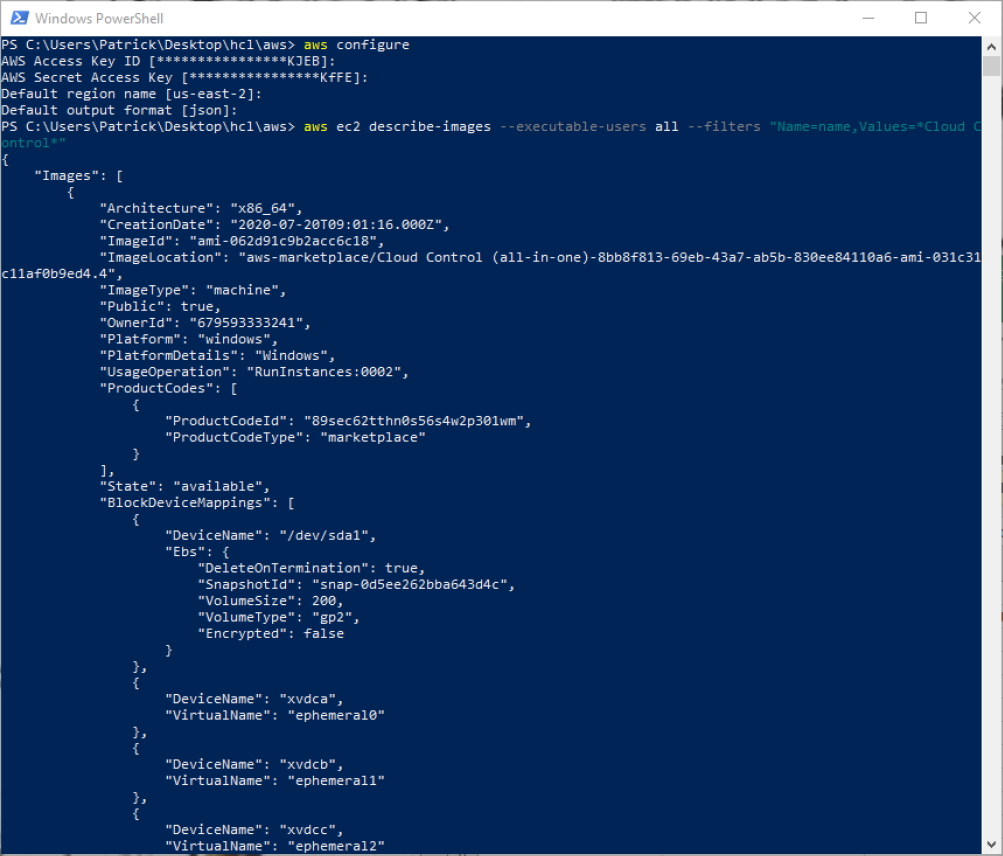
The second test is to start from scratch and install the components. I created a Windows 2008 VM image and have downloaded the SQL Server iso. I also started an Amazon AWS instance that has the OS and SQL server configured. I downloaded the JBoss 5.1 server and got it running. The steps to get it running were

  1. start ami-0e8a7867 in the Amazon AWS with a large footprint. After 15 minutes it was ready to run and I could login.
  2. configure the server to be part of the office network by configuring a vpn connection. Once it was configured I could join the office network and connect to the legacy systems and services. This was done by adding a remote network connection using VPN and using the same credentials that were used to connect my laptop remotely.
  3. download the Java JDK-6u26-windows-x64.exe binary from java.com and install it to c:\Program Files\Java which is the default location.
  4. download jboss-eap-5.1.0.zip and install it to c:\jboss-eap-5.1.0
  5. Once this was installed I had to modify the jmx-console-users file to assign a user name and password. This is done by adding a line with userid=password
  6. open a web browser to http://127.0.0.1:8080 and login

GE Centricity upgrade

June 29th, 2011

For the next few days I am going to be a full time IT Admin. The federal government has released regulations  to motivate doctors to use a prescription aggregator. The aggregator allows doctors to write an electronic prescription and have it go to a clearing house. The clearing house then has pharmacies in the local area bid on filling the prescription. There is a 1% Medicade penalty if you are not able to fill 10 prescriptions by July 1st this year and 3% penalty next year if it is not done by Jan 1st of next year. We had a GE consultant contact us about installing and configuring our practice management software, GE Centricity, to use ePrescribe which will fulfill the medicare requirements for electronic prescriptions.

We are currently running Centricity Practice Management 2006. This software allows us to scan medical records and store them electronically. The software is currently installed on VMWare ESX 4.0 on three virtual machines running Windows 2003 Standard Edition server. The database that is being used is Microsoft SQL Server 2005 release 2. All installations are 32-bit and restricted to 4-G of memory. The disk requirements for the database are not that large. All of the databases fit into 6G of disk. The application server used is Microsoft IIS. The application is an ActiveX fat client that is downloaded from the IIS server and connects directly to the database. The IIS server provides a check to update the desktop computer to the latest version of the client software as well as scanning software that allows a USB connected scanner attach to the desktop and store files into the database.

The servers that we have configured are:

  • Active Directory Domain Controller. This server is Win2003 and holds all host and user/group definitions. The software does little more than act as an AD server for authentication to the desktops, servers, database, and Centricity application.
  • Home directory server. This server is Win2003 and is a central repository for all personal files and folders. It also acts as a central repository that is examined for scanned documents. If a file is dropped into a folder, the scanning software (Ideal Image) reads the file, converts it to the proper format, and inserts it into the patient medical records.
  • DTS server. This server is a Win2003 server and runs on a stand-alone server. The DTS server runs an extension to Centricity. This software is a combination of Ideal Image and Centricity that performs the bridge between the scanners and patient medical records database. The DTS software will not run in a virtual image and must be installed on a physical device. This server also acts as our outgoing fax server that in theory is our ePrescribe solution. Unfortunately, the fax server is not working properly and any electronic prescriptions that are routed to a pharmacy get lost and dropped. We are currently forced to print prescriptions and fax them using our copier to the pharmacies.
  • The largest server is a database server that also runs IIS. The database holds the procedures and structures for Centricity. The database version is currently SQL Server Standard Edition 2005. The IIS server acts as the front end to Centricity and bridge between the user desktop and database.

In an attempt to install ePrescribe, we first have to upgrade the basis components. The steps that we had to take are

  1. Upgrade memory in the ESX systems from 4G to 12G for head room and migration of VMs from one machine to the other
  2. Backup all VMs to a known and fixed state. This entails getting rid of all snapshots, copying the files to offline storage, and taking a snapshot before any transitions are made.
  3. Migrate all VMs from ESX 3.5 to ESX 4.0. This should be a simple task but it does require a change in the format of the VM and you can not go back once the transition occurs
  4. Upgrade the ESX 3.5 server to ESX 4.0
  5. Install and configure Microsoft Server 2008 Standard Edition in a VM
  6. Install and configure Oracle Enterprise Linux in a VM (to see how difficult the upgrade would be changing databases)
  7. Snapshot both servers
  8. Test migrating VMs between the two ESX servers and Amazon Cloud for disaster recovery
  9. Install and configure Microsoft SQL Server 2008 Standard Edition on 2008 server
  10. Install and configure Oracle 11g Standard Edition on OEL server
  11. Install and configure JBoss on both 2008 and OEL servers
  12. Snapshot both servers
  13. Test migrating VMs between the two ESX servers and Amazon Cloud for disaster recovery
  14. Install CPS 9.5 on Microsoft stack
  15. Install CPS 9.5 on Oracle stack
  16. Snapshot both servers
  17. Test migrating VMs between the two ESX servers and Amazon Cloud for disaster recovery
  18. Backup both servers to offline storage
  19. Test migration of CPS 2006 server data from SQL Server 2005/Microsoft 2003R2 Server to Microsoft stack
  20. Test migration of CPS 2006 server data from SQL Server 2005/Microsoft 2003R2 Server to Oracle stack
  21. Install and configure meaningful use reports on both servers
  22. Test and verify CPS 9.5 is working properly in both environments
  23. Schedule GE consulting to install and configure ePrescribe connected to CPS 9.5 installation
  24. Schedule GE consulting to install and configure scanning software connected to CPS 9.5 installation
  25. Create training on differences between 2006 version and 9.5 version
  26. Transition staff to 9.5 installation
  27. Archive 2006 version and turn off servers
  28. Document ePrescribe usage and meaningful use reports for submission to Health and Human Services

is this what it looks like from the other side

May 26th, 2011

I got to make my first capital expenditure yesterday and I wasn’t even in the office to enjoy it. Part of my job is managing and maintaining the hardware and software for a physicians practice. This is half of the start-up because it pays the bills and pays for insurance while we try to grow a fledgling startup. On Monday, the scanners stopped working. It turns out that we purchased some scanning software that takes TIFF/PDF formatted documents and drops them in a common shared folder. These files are converted to HL7 format and imported into the right patient’s chart so that doctors can see things like labs, tests, records from other doctors, and insurance/drivers license information. The concept is simple. Scan a document and store the image in a database/file system and associate it with a patient id.

It turns out that we cancelled our support contract with a reseller who provided the consulting integration, some support software, and the primary practice management software from GE, Centricity. The scanning server software had a time limited license and expired on Saturday. Given that we are no longer on support, no new license will be issued. To renew this license, we need to spend $10K to renew the support license and keep spending $10K every year to keep the licenses current.

As CIO of the medical practice I got to see things from the purchasing side of the equation. First, I had to figure out what was broken and figure out who our supplier was for the software. It was complaining that we did not have a valid license for one component and scanning of documents stopped working. Once I figured out what stopped working and who the vendor was I had to ask around the office for a history on this account and why the contract got cancelled. Fortunately, I was smart enough to ask the right people and not ask the people who hired lawyers and sent registered threatening letters prior to the contract being terminated. Needless to say, I needed to start looking for alternate software suppliers.

I found three suppliers who could provide scanning software that integrates with Centricity. I did this by asking on the users group support forum for recommendations. There was a clear winner but I needed to investigate everything. Monday morning at 10am I started calling the vendors asking for pricing.

The first vendor, FinalSupport.com, said that I could not talk to a sales person until I talked to accounting. This is the company that we purchased from and cancelled the contract with. I wanted to see how much it would be to renew the contract and get a new license issued. This should be a 24 hour fix if the start aligned. Accounting took the day off on Monday so when I called back on Tuesday they took a message. They would not give me the name or phone number of my sales rep until I talked to accounting. Tuesday afternoon I called back and got connected to accounting. It turns out that yes we did have a contract. Yes we did cancel it. Yes our license is invalid and we need to purchase a new one. They gave me the name of the sales rep but would not give me his phone number. They put me on hold, called him, and said that he would call me shortly with a quote. Wednesday rolled around and I still did not receive a call. I call accounting again, they put me on hold, call the sales rep, talk to him and ask him to call me. Why I could not be placed on a conference bridge or transferred to his number I have no clue. 4:45pm, I get a call from the sales guy. He calls from his cell phone while he is driving and can’t take down my details. Can I send him an email with my contact information and a detail of what I need. Given that I am also driving I pull over to the side of the road and type an email to the clown. 9:30 this morning I get a quote for $10K annual support to get our scanners working. The support for the scanner is $325. Support for everything else is $9675. This is an annual support fee and licenses expire on an annual basis so if you cancel support, you loose your license.

Vendor two was almost as interesting. I call them Monday morning and get a telesales guy. I can hear him typing into salesforce.com my answers. I know what software that it is because I know what automated prompts that it asks for and am one step ahead of him with answers. He can’t give me a quote because he does not sell the software, it must go through a reseller. Tuesday I get an email from a reseller asking if I can get on a web seminar Thursday morning. I politely explain that I sold ECM for Oracle and understand the value and need for a solution. All I want is a quote. Wednesday morning I get a phone call from the reseller. He wants me to jump on a web conference so that they can show me the software and figure out which flavor I need. I get off the phone with him and wait 5 minutes until his conference bridge and web conference invitation clear the email systems. I call back and one other person joins with us. The technical guy is upset that I am not on the web conference and insists that I need to see the solution before seeing the price. Given that I am driving to an appointment and am lost in East Texas, I want to get off the phone and look at a map. I pull over to the side of the road and have someone else look at a map and have to resort to stopping and asking for directions. We missed it my half a mile. It was just around the corner from where we stopped. Meanwhile, these guys on the phone are prattling on about the advantages of ECM and how it will help find documents quicker. 6:30 last night I get a quote for $12K with $3K annual support. 9am I send them a nice note saying that they are over featured and out of the ballpark from what I was hoping to purchase.

Vendor three is GE. I thought I was in for a difficult run with this one. I came from a large company so I know how difficult it is to get information, approvals, quotes, and tech support without access to the right resource. I email the sales rep and ask for a quote on scanning software. I get back an email answer asking which solution and call him. His cell phone (yes, I had his number from a previous discussion) says that he is returning from vacation today so I figure I would be at the bottom of his call back list. He sends me an email with the name of the software and says that he needs to look up our contract information on sizing to see how much he needs to charge for scanning software. Tuesday morning 8am I get a quote for $3K (1.3K software, 1.3K consulting to install it, and $300 annual support). 8:30am I talk to accounting and lock down budget approval. 9:30am the owner walks in, signs the contract. 10am it was faxed and received by GE.

In summary, I talked to three vendors. One sent me a contract in under 24 hours and required me to spend 30 minutes investigating the solution, price structure, and asking follow up questions. One wasted an hour of my time asking questions, berating me for not watching their demo, scolding me for not having the right metrics so they can properly size the solution and took 72 hours to get me a quote for 4x what I signed a contract for two days ago. The last vendor is the one that we are moving away from. They want me to sign a $10K annual support contract to pay for the software that the lowest cost vendor provided to us. I wasted 30 minutes talking to accounting before I could talk to the sales guy. He kept me on the phone for 5 minutes and we exchanged 4 emails. I understand his position in that they make the most of their revenue from support cost and not product. I get that they want to renew the contract and get the cash flow working again.

Things look different from inside the fishbowl. Good thing that the glass is between me and the sharks outside. It makes me question my sales process when I call these schools. Do I insist that things be on my terms or am I flexible enough to adapt to what they want/need. Am I too flexible and leave too many options open making the transaction more complex than it needs to be? Hopefully the software installation won’t take weeks/months and we can get it working next week.

The slings and arrows of SQL Server 2005

March 14th, 2011

Have I mentioned that I worked at Sun for 13 years? Did I mention that I worked at Oracle for almost 5 years? Have I made my views clear that Windows is not a good platform but a necessary evil that the business community seems to want to use for some obscure reason? Given my obvious bias, take the following notes with a grain of salt. This is truly a rant about my secondary job which is supporting a physicians office.

I found a product that I hate more than Windows 2XXX. I really do not like SQL Server! I have been given an SQL Server 2005 Standard Edition to manage. The database houses the patient and medical records for a Cardiology practice. The deployment is simple. We have a four core system with 4G of memory (thanks Standard Edition) that has been limping along since 2009. It was installed and configured inside a VMWare instance and needs weekly rebooting. One of our support vendors suggest daily rebooting but I am not comfortable with that. The system is a simple system that is running SQL Server 2005 Standard Edition, GE Centricity 9.5 (practice management and patient records), and Terminal Server. THere are three disks associated with the server; c – primary boot disk 20G, d – database disk 100G, and t – log disk 100g. Why you need a log disk as large as your primary database disk, I have not clue but this was the bane of my existence for the past two months. The log disk was 80% full when I started and went to 99% full over the weekend.

Having played with MySQL, Oracle, and Postgress I can honestly say that SQL Server 2005 lacks many functions that a modern database contains. Security is primary concern. I have not done much with the database because I was waiting for the previous admin to give me the password for the database. Without an admin id or password there isn’t much you can do with most systems. Backup is typically an admin function. Truncating the log size is typically an admin function. Starting and stopping the database is typically an admin function. I was rather shocked when I was able to launch SQL Server Management Studio and login with my windows credentials. Even though I have admin rights on the server, I didn’t think that I had admin rights on SQL Server. I was wrong. Logging in as myself, I was able to see all databases, perform backups, and truncate log files.

What confused me a little bit was that there is no command line interface like sqlplus in Oracle to log into the database. I had to connect with the management studio and use the Windows interface to execute commands. This might be lack of education on my part but I am primarily a command line/script kind of admin. Navigating a confusing set of menus and options in a tool is counterintuitive for me. Given that I am on a Mac using Remote Desktop to log into the Windows server (I hate WinXP and Win7 that much) I do not have a right mouse click option on the menu system.

Reading the documentation and blogs about shrinking log files, it appears that you need to select the database in the tool, right click on the database name and shrink the database. I really did not want to shrink the database. I wanted to shrink the log file and let it from from the smaller size. Before I did that, I wanted to backup the database to make sure I did not mess up anything. Again, right click required to perform a backup.

I finally figured out after a couple of hours of searching and reading and playing on tables that were non-mission critical how to execute a command line backup. The process is simple. You select the database by name from the Management Studio then click on the New Query tab on top of the screen. This will open a window that is truly a command line window into the database. The command to backup the database is simple

Backup database PaperVisionDM to disk=’d:\Backup\PaperVisionDM_14_Mar_2011.bak’;

and click Execute. The system spins for 4.2 seconds and reports that it processed 11,064 pages, processed 4 pages for the database and the log file, and wrote to disk at 21.55 MB/sec. A new file that is 89,357 Kb is created in the D:\Backup directory. This is about the same size as the backup from the previous day so I assume that it is correct. I had to repeat the process for the other databases on the system.

Backup database Demo to disk=’d:\Backup\Demo_14_Mar_2011.bak’

Backup database GEMSCPS to disk=’d:\Backup\GEMSCPS_14_Mar_2011.bak’;

Backup database AdventureWorks to disk=’d:\Backup\AdventureWorks_14_Mar_2011.bak’;

Backup database ReportServer to disk=’d:\Backup\ReportServer_14_Mar_2011.bak’;

These do not take very long and produce files that are 369M – Demo, 6.3G – GEMSCPS, 168M – AdventureWorks, and 2.7M – ReportServer in size. Given that the largest database is 6.3G, it really isn’t much of a database so space should never be a problem.
Unfortunately, a 100G disk fills up in two years with transaction logs and there is no clear way to reduce the log file size. There are a bunch of suggested commands that should work but I had to brute force things to truncate the log file size.
DBCC shrinkfile (‘T:\SQLLog\Demo.ldf’, 200);
DBCC shrinkfile (‘T:\SQLLog\GEMSCPS.ldf’,400);
in theory should shrink the file size to 600M but guess what, it does not. The commands have some effect on the file sizes but I went from 99% file full to 90% file full. I tried a variety of different numbers to restrict the log size but the disk capacity would shrink then immediately grow back.
The true answer to the problem was having to mess with the database and backup formats. The databases were configured to be in full recovery mode so that any transactions from the last backup go included in the restore. The idea is simple. Backup the database, maintain a transaction log, and restore from the backup and replay the transaction log. Excellent idea. Most databases do this. The assumption is that the transaction log should truncate when you do a full database backup. Not the case for SQL Server. I had to perform a backup, modify the restore method, truncate the log file and reset the restore method after truncating the log. Makes sense, right? Makes me feel warm and comfortable, right? Makes me want to go screaming into the night – right. To truncate the log file, I had to perform the following steps
Backup database GEMSCPS to disk=’d:\Backup\GEMSCPS_14_Mar_2011.bak’;

Alter database GEMSCPS set recovery simple;
DBCC Shrinkfile (‘T:\SQLPlus\GEPSCPS.ldf’, 400);
Alter database GEMSCPS set recovery full;
I now have full confidence that I can recover this 6G file from the backup and things will work well. Just to make sure I still need to shut down the system and copy the VMWare files from one system to another. I want to make sure that the D drive and T drive are copied and functional. The Acronis True Image backup software package that we have is really good at backing up files and disks I should not need to use any other backup software. I wish. I looked at the log files and processes for backing up and they were more of a joke than the SQL Server backup. Who really mounts through and SMB share and does a backup of an entire file system? The log files were failing because the SMB mounts were timing out since no one used them and the backup fails. When I fixed this and got a good backup, it did not backup the \SQLData\GEMSCPS.mdf file because it was locked by, wait for it, the database. All of the mdf files were locked and failed as part of the backup. The script at least does copy the bak files so I should in theory be able to recover from a failure.
Did I mention that I found a product that I hate more than Windows Server 2XXX? It is SQL Server 2005. My gut tells me that Enterprise Edition is no better than Standard Edition. The main reason that I generated this rant was to document how I truncated a log file because I know that 12 months from now I will have to figure it out again. Why a 6G database can fill up a 100G disk with a transaction log is beyond me. It says something about the hours/days/weeks it would take to recover from a backup with transactions. I hope I never need to experience it.


Cypress ECG – one year anniversary

March 10th, 2011

One year ago on March 10, 2010 we filed paperwork to become a non-profit organization so that we could expand operations from one relatively large school district across the entire state. After the first six months, the only thing that happened was my father-in-law asked me over and over and over to come work on the project full time. I decided to work part time on the project and build a few machines using commercially available components. We also decided it would be a good time to start building an ECG machine of our own and start serious marketing and expanding the program.

One year later, a lot has changed. We have built five additional machines from commodity components and three of these have been placed full time at two schools. The two remaining systems are floater systems that we loan to smaller schools so that they can screen students. In 2010 we screened a total of 4500 students and teachers (about 75 teachers) in seven school districts. In the last six weeks we received checks from two of the districts to cover the long term lease of the three machines and are in the process of purchasing two new machines.

We decided to start looking for funding sources and apply for grants, call other school districts, get bank loans, you know…. the usual. When I applied for our first few grants I found out the hard way that we filed with the state of Texas but not the IRS. You can’t really get grants from foundations without being on the IRS 401(c)(3) master list. For the past month I have been filling out the paperwork, getting it reviewed by our board, and typing everything up to submit. My goal is to submit it on our one year plus one day anniversary.

Along with funding sources, I took the plunge and became employee number one in the company. We had a board but no one was full time. In November I handed in my notice to Oracle and started full time in January. Given that my salary will be zero from Cypress ECG, I’m not sure what the benefits are being the first employee. I might have to pay myself a dollar just to have a paid employee on the books. I did pay a contractor from my own checking account to create some marketing material so I am not sure it counts as a contract employee. Do I have to file a 1099 for someone that I pay if it comes out of my personal checking account?

As Chief Operating Officer I am facing a few decisions. We do have a few thousand dollars in the bank but we also have a few more thousand dollars on loan from American Express. We need to purchase one more ECG machine and at least two more laptops. There is also a conference in San Diego at the end of the month. It would be nice to be positive but I guess that I should be happy that some of these expenses are coming out of money from customers and not personal savings.

It looks like May and August will be busy months. We currently have four districts doing screenings in May and two more asking about August. We have been focusing on private schools as long as the Texas Legislature is debating how much to cut from school finances. We did have an invitation to present to all of the public school Athletic Directors in and around Bexar County. That went well and two of the schools that are doing screenings in May resulted from this presentation.

Our goal is to screen 15,000 students by the end of 2011. We are currently on target to finish 5000 by June 1st. We are also getting more involved with experts from around the state and country as well as other organizations like ours. I have been surprised to find out that we are not the largest fish in the ocean. If we accomplish our goals for the year we still won’t be the largest fish. One organization in the mid-west will be larger than ours. It will take us at least two years to achieve what they have done.

I guess I better get back to filling out form 1023 since I am filing it tomorrow. I’m filing that we are planning on expanding but probably not employee two this year unless things expand faster than expected.

new job – month 1

February 9th, 2011

What an interesting month. I find myself split between three jobs. The first is the foundation that currently pays the bills, managing servers for a doctors office. The second job is as an executive planning and growing our little company in the right direction with the right resources. The third is as a sales rep cold calling as many schools as will listen. Let’s break down each job.

The admin job is relatively easy. Other than the occasional password expiring or process to scan/fax documents stopping, the systems are self maintaining. We did have a power outage as part of the cold front that shut down the highways. I now have access to all of the servers through a remote login and can access everything from home. I installed two monitoring tools to make sure servers and processes are operating properly. Nagios is what I used when I was an admin at Rice. Zabbix is something new that I found that uses mysql to store historical data. I tried using Microsoft SCOM and Oracle Enterprise manager but the price tags were a little more than I wanted to spend (thousands of dollars). Nagios and Zabbix are both public domain and provide me with good enough monitoring for one SQL server, two VMWare servers (and six guests), a Cisco router, three major printers, and a firewall. I tried monitoring desktops until I realized that half of them turned off the power as they left at night so I quickly learned when everyone left and got alerts to my phone that someone is going home for the night or came in early. We did have a system failure during the power outage and lost a very expensive UPS and really cheap wireless hub. I think that I was the only one using the wireless hub and it was truly a security violation because it put patients on the same network as the shared folders and servers.

Being an executive for a company is just like being a parent. You have to constantly make decisions and never know if it was the right one till days/weeks/months/years later. We have had a few good discussions around how to move forward. What is the focus of the company is a primary question that keeps coming up. Is the main focus money? If so, we are doing it all wrong. If the focus is saving lives then we need to change how we follow up months later. If the focus is creating a scalable business then we need to focus on different things. The biggest struggle has probably been how to get long term funding. Do we grow organically, merge with another organization, build our own components which represent our most expensive part of the operation, or get grants/loans/angel funding to grow. We finally got some income ($500) and have a outstanding invoices ($8000) but still have an American Express bill ($12000). The next question will be what to do with the $8K. Do we pay off the amex bill? Do we buy new equipment? Our monthly expenses are just under $100/month and $50/month in interest if we assume that I am paying for my own phone bill and internet access. My eventual plan is to have everyones phone and internet paid for by the company. It would also be nice to get seats at Texan’s games in the fall for the board members so we can have monthly meeting at a tailgate and at the game. I am currently using paper and Excel to track expenses, invoices, income, and payments. Not bad but it won’t work once we get to $1M in revenue.

The third job is sales rep. I have had five face to face meetings. I am averaging about 80 phone calls a week. Of these phone calls, I am talking to about 8 people who are interested and one that quickly says that they are not interested. We have sponsored an event for coaches and athletes in town with another non-profit company (our largest expense for the month, $1500) and recycled a poster that we used for a medical conference. Our largest expense for February will be marketing to create a tri-fold, a logo, and business cards ($1600). My primary tool has been salesforce.com. I track all of the contacts, conversations, emails, and call backs in this software. This is a really good tool for a start up company. The cost is $1200/year for three people entering data. I currently have a part time admin from the medical practice going through schools and entering the names of the head coach and athletic director. The list is long and I am hoping to get through the whole list in a year. I figure that I have about 8 months of the year to call everyone. There are about 1400 school districts in Texas. Given that there are about 32 weeks in these 8 months, I need to average 43 new districts per week to cover them all. I started with all of the private schools then moved onto public schools by county. I am starting in southeast Texas and moving across the coastline and back until the whole state is covered. I am also focusing geographically close to the reference schools that we have. It is a process but it appears to be working. The big question is how many times do I call someone and at what interval. I think that daily is a bit much but weekly is a little too long. Three calls and an email is also a good number but I don’t want to be ignored or considered a pest. It is a difficult balance to be assertive enough but not oppressive.

January was a good month. We had two signed contracts and two invoices go out. We interpreted just over 400 ECGs for the month with about 100 being teachers as part of a health/wellness program at one school. February will probably be a little slower. I expect two more schools to sign contracts but no new invoices to go out. Most schools are going through TACS testing which distracts most people from starting new initiatives.

my life as an admin

January 25th, 2011

It turns out that my start-up does require a little funding. To get this funding, I am splitting my time between supporting a doctors office and calling a gazillion school districts in the state. Part of supporting a doctors office is managing about 18 desktops and 7 servers. In reality there are three servers and virtual instances on these servers. The main server is basically a file server that hosts files for the Windows desktops. The two other servers run VMWare ESX with Windows Servers as the guest operating systems.

I was really surprised that there was no monitoring in place to trend usage, report outages or resources fully allocated. I guess this either was not done or everything was over purchased to make sure no one ever ran out of resources. After managing and monitoring systems for two weeks, it turns out that there are excess resources but not that much. I looked at installing a monitoring tool and went with the obvious ones.

Oracle Enterprise Manager was my first choice since it was one of my specialty focus areas. I thought that I would install it and see what information I could gleam. I downloaded the installation binaries (for Windows, ugh!) and began the installation. Fortunately, the install scripts perform checks to make sure minimum conditions exist. This is a change from the 10g installation. I download the 11g version and it minimally requires 4G of memory on a system. After spending half a day doing inventory on all systems, only three servers match this instance. The first is running the main database for the office. The second is running the main application that uses the database, and the third is where our support group uses as a launch pad to run the application. The next largest footprint was 3G which is out payroll and accounting system. After that 2G was the high water mark.

Once I figured out that I did not have the resources to run Oracle OEM, I had to look at budget to make this happen. A new desktop comes in at $400-$1000 with enough memory to run this configuration. Not a problem. I can hide that in expense noise. The Oracle license comes in at $9000 list price to monitor all the servers that I want. I’m now looking at a $10K solution to do simple monitoring and alerting. Doable but outside of my expense noise range. I can probably get a former employee discount and bring the price to $8K but that is still out of range.

I do a little research and look into MOM/SCOM since this is a Microsoft only environment. SCOM comes in at $1300 plus $400 for the three main servers, $150 for the four support servers, and $30 for each desktop. This comes in at around $4K. Again, not in the expense noise range but doable. I would need to come up with a reason other than it will let me work from home and come in later. The cost of not having a patient records during an exam is significant but the expectation is that the servers will be up before the first patient is seen. This gives me an hour and a half window to get into the office, reset the systems, and get everything up and running. Not a difficult window to hit but not catastrophic if missed either.

The third option is going with something like Nagios. This is a free tool that provides the basics of what I need. It provides alerting when a service goes down. It provides limited history. It also provides capacity usage. It is a free option with a lot of after market enhancements to hook it into recording and charting results. Given that this will only cost $500 once I purchase a refurbished server, it looks like the option that I can make happen without justifying the expense.

Now that I have gone through the two day exercise of pricing out all the options, playing with installing all three packages, and ordering a new high memory capacity server, I need to start focusing on how to get VMWare ESXi installed on this server so that I can get Nagios running in production.